SEO or Google Ads for Small Business: Which Pays Off?
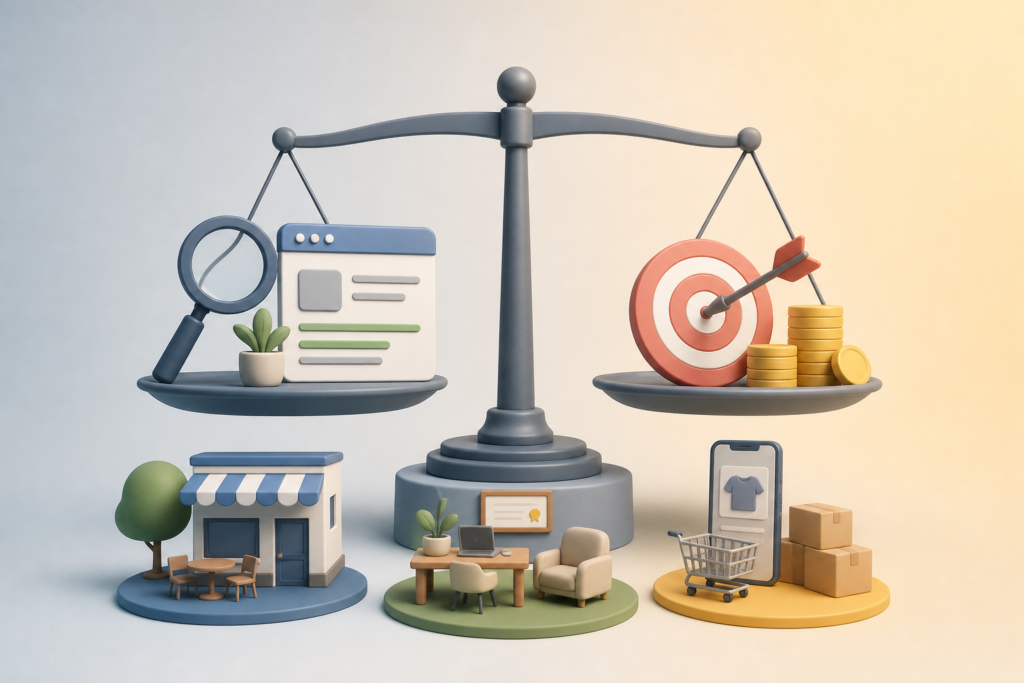
If your budget is tight and your calendar is full, sooner or later you’ll face the question: SEO or Google Ads for small business, which one deserves your money? The honest answer is that it depends on your situation, not on a one-size-fits-all rule. This guide compares the two channels on concrete criteria: speed, budget control, how long results last and the effort involved. It then applies them to three typical scenarios: a brand-new local business, a professional selling high-margin services and a seasonal online store.
SEO or Google Ads for small business: the difference in one sentence
Google Ads is a faucet. Turn it on and visitors flow in; turn it off and they stop. SEO is a vegetable garden. You plant and wait at first, then you harvest for months or years, as long as you keep tending it.
Both bring you people who are actively searching on Google, so they arrive with clear intent. What changes is how you pay. With Ads you pay for every click. With SEO you pay in time (yours or a writer’s) and in content.
Comparing the two on five criteria

Before looking at the scenarios, here’s how each channel performs on the points that actually matter for a small business.
| Criterion | SEO | Google Ads |
|---|---|---|
| Time to results | Usually months, especially for a new website | Days, as soon as the campaign is approved |
| Budget control | Fixed cost (time, content), less predictable results | Exact daily spending cap, results measurable right away |
| How long results last | Traffic keeps coming even if you pause for a while | Traffic stops when you switch the campaign off |
| Cost per visit over time | Tends to drop as your articles start ranking | Stays tied to cost per click, which varies by industry and competition |
| Effort required | Consistent publishing and site optimization | Campaign monitoring, ad and keyword testing |
A note on costs: click prices vary enormously from one industry to another. Don’t trust average figures you read online. Open Keyword Planner inside Google Ads and check the estimates for your keywords in your area. It’s free and gives you a realistic picture in about ten minutes.
Scenario 1: a newly opened local business
Think of a new bakery, a nail salon or a plumber who just registered their business. The website is new, Google doesn’t know it yet, and customers are needed now, not six months from now.
What makes sense: a small local Google Ads campaign to get started, paired from day one with local SEO basics.
- Ads: a handful of very specific keywords (“emergency plumber Austin”), a tight geographic radius, and ad schedules that match the hours when you actually answer the phone.
- SEO: a complete Google Business Profile, reviews from your first customers, and one page per service with your city and neighborhoods mentioned in the copy.
- Content: two or three articles answering real customer questions (“how much does it cost to replace a water heater”, “what to do if a pipe bursts at night”).
As local searches start bringing in calls, you can lower your Ads budget instead of raising it.
Scenario 2: a professional with high-margin services
An accountant, a lawyer, an architecture firm: every client is worth a lot, but the buying decision is slow and built on trust. In these fields Google Ads clicks are often expensive too, because competition is fierce.
What makes sense: here SEO tends to be the main investment. Someone searching “how to set up an LLC” or “S corp vs LLC taxes” isn’t ready to sign today, but they’re exactly the person who will call you in a few weeks if you explained things clearly.
- List the 20 questions clients ask you most often in meetings.
- Turn each one into an in-depth article with real (anonymized) examples and your professional opinion.
- Link each article to the matching service page.
- Use Google Ads only for searches very close to a purchase (“small business accountant Chicago”) with a low spending cap, to test which services generate the most leads.
The payoff is twofold: the articles bring traffic you don’t pay for per click, and they do half the selling for you, because prospects arrive at the first call already knowing how you work.
Scenario 3: a seasonal online store
A WooCommerce shop selling swimwear, Christmas decorations or ski gear makes a big share of its sales in just a few weeks. If you’re not visible during that window, you’ve lost the year.
What makes sense: a mix planned around the calendar.
- Off-season: focus on WooCommerce SEO. Optimize product pages, write guides (“how to choose the right ski boot size”, “Christmas gift ideas under $30”) and publish them well in advance, because Google needs time to rank them.
- In season: switch on Google Ads, especially Shopping campaigns, to cover demand peaks and the products where you don’t rank well yet.
- After the season: check Google Search Console to see which pages brought organic traffic and which ones you had to pay for. Next year, invest your SEO effort in exactly those paid ones.
The classic mistake is waking up in November to write holiday content: by then SEO can’t catch up, and advertising is your only option, right when clicks are most contested.
How to split your budget between SEO and Google Ads
There’s no magic percentage, but a simple method helps you decide without going on gut feeling:
- Work out what a customer is worth to you, in profit margin rather than revenue.
- Estimate the cost per click for your keywords with Google’s Keyword Planner.
- Run a short Ads test with a budget you can afford to lose, to measure how many clicks it takes to get one lead.
- Compare: if the cost per customer from Ads stays well below your margin, advertising is sustainable. If it eats up nearly all of it, shift resources to SEO.
- Review every quarter: as organic traffic grows, the Ads share can usually come down.
The most common mistakes
- Expecting SEO results in two weeks and giving up after a month.
- Launching Google Ads with broad match and ending up paying for clicks on searches that have nothing to do with your business.
- Sending paid traffic to your homepage instead of a page dedicated to the service or product.
- Publishing in bursts and then disappearing: for SEO, consistency matters more than initial volume.
Where to start this week
If you’re short on time, the hardest part of SEO is consistency: picking keywords, writing, optimizing and publishing on a regular schedule. That’s where many small businesses give up and go back to relying on ads alone.
AutoPub was built for exactly this. It’s an AI content writer for WordPress that generates optimized articles around the keywords you choose and automatically publishes them to your site on the calendar you set, so your WordPress SEO keeps moving even in the weeks you’re busy with customers. You review the drafts, add your own experience and track the results. Try it with the free trial and decide based on data, not promises.
Frequently asked questions
Is SEO or Google Ads better for a small business?
It depends on how quickly you need customers and how much each one is worth. Google Ads brings visitors right away but stops when you stop paying; SEO takes months but builds traffic that lasts. Often the best approach is to start with both and scale back Ads as organic traffic grows.
How long does SEO take to show results?
Usually a few months, longer if your site is new or your industry is very competitive. Very specific and local searches tend to show signs of progress sooner than broad ones.
How much should I spend on Google Ads to get started?
There’s no figure that fits everyone: it depends on the cost per click in your industry and area. Check the estimates in Keyword Planner and start with a test budget you can afford to lose, with a daily cap in place.
If I run Google Ads, do I still need SEO?
Yes, it’s worth it. A useful, well-optimized landing page also improves ad performance, and meanwhile you’re building a traffic source that doesn’t depend on your ad budget.
Can AI help with SEO if I’m short on time?
Yes, especially for drafting, optimizing and publishing articles on a regular schedule. It’s still important to review the content and add real examples and experience from your business.